

I’ve spent way too much time tweaking Counter-Strike 2 setups, and honestly, nailing these configs turns frustrating deaths into clean headshots. Frames stutter? Enemies blend into walls? Fix that now.
Graphics Settings That Actually Matter
CS2’s visuals aren’t about looking pretty – they’re about spotting that lurker before he spots you. These tweaks cut through the noise for real edge in matches.

Essential Video Options
- Display Mode & Resolution
Stick to fullscreen every time – windowed just invites distractions and lag spikes. Pick your resolution based on what you need most. Native 1920×1080 keeps everything sharp with full peripheral vision, but get this: over half of pros run 1280×960 stretched. Stretched makes foes look chunkier and simpler to tag, and it squeezes out extra frames too. Ease in with your monitor’s stock resolution. Once you’re settled, give 4:3 stretched a spin, like 1280×960 or 1024×768, to mimic that pro vibe. Dropping res like that pumps FPS hard – vital if your rig’s pushing limits. - Boost Player Contrast
Flip this on and watch models jump out from the clutter. No question – it hands you those quick peeks that win duels. - V-Sync
Kill it dead. That input delay turns your aim into mush; no serious player touches this. - Anti-Aliasing (MSAA)
Tricky call. Go 2x-4x MSAA – it smooths edges without gutting your frames. Plenty push CMAA2 for that middle ground, and guys like s1mple or m0NESY crank 8x even if it bites performance. None means peak FPS but a jagged mess. Run tests till your setup stays buttery at high rates.
Shadow Quality – The Competitive Advantage
- Global Shadow Quality
Low cranks FPS; Medium splits the difference on speed and sightlines; High keeps key shadows intact. Forget fluff – these hints betray enemies around bends or in dark spots. Indoor candles casting tells? Clutch gold. - Dynamic Shadows
All the way, no exceptions. Sun Only? You’re blind inside – miss those building shadows and you’re toast competitively.
Texture & Model Details
- Model/Texture Detail
Low strips frames clean; Medium stops blood and details from smearing; High or Very High if skins matter and you’ve got headroom. Me? Low keeps it lean for fights. - Shader Detail
Low frees up power. A few pros bump High since it barely dents FPS but sharpens effects – worth it if your system’s solid. - Particle Detail
Low clears the haze through smokes and fires. Crank it and you’re peering through soup.
HDR & Ambient Occlusion Debate
- High Dynamic Range
Performance edges FPS; Quality sharpens looks with a tiny hit. Stick Performance – competitive play doesn’t need the extra polish. - Ambient Occlusion
Guides scream disable for speed, but crank High and shadows on players sharpen up, spotting them easier. If frames dip, shut it off; otherwise, High actually feeds your aim.
FidelityFX Super Resolution (FSR)
Shut it down at Highest Quality. Upscaling from low res pumps numbers, but the blur and grain wreck focus – plus possible lag creep. Desperate for boosts? Quality mode’s a last resort, but expect traded sharpness.
NVIDIA Reflex – Input Lag Destroyer
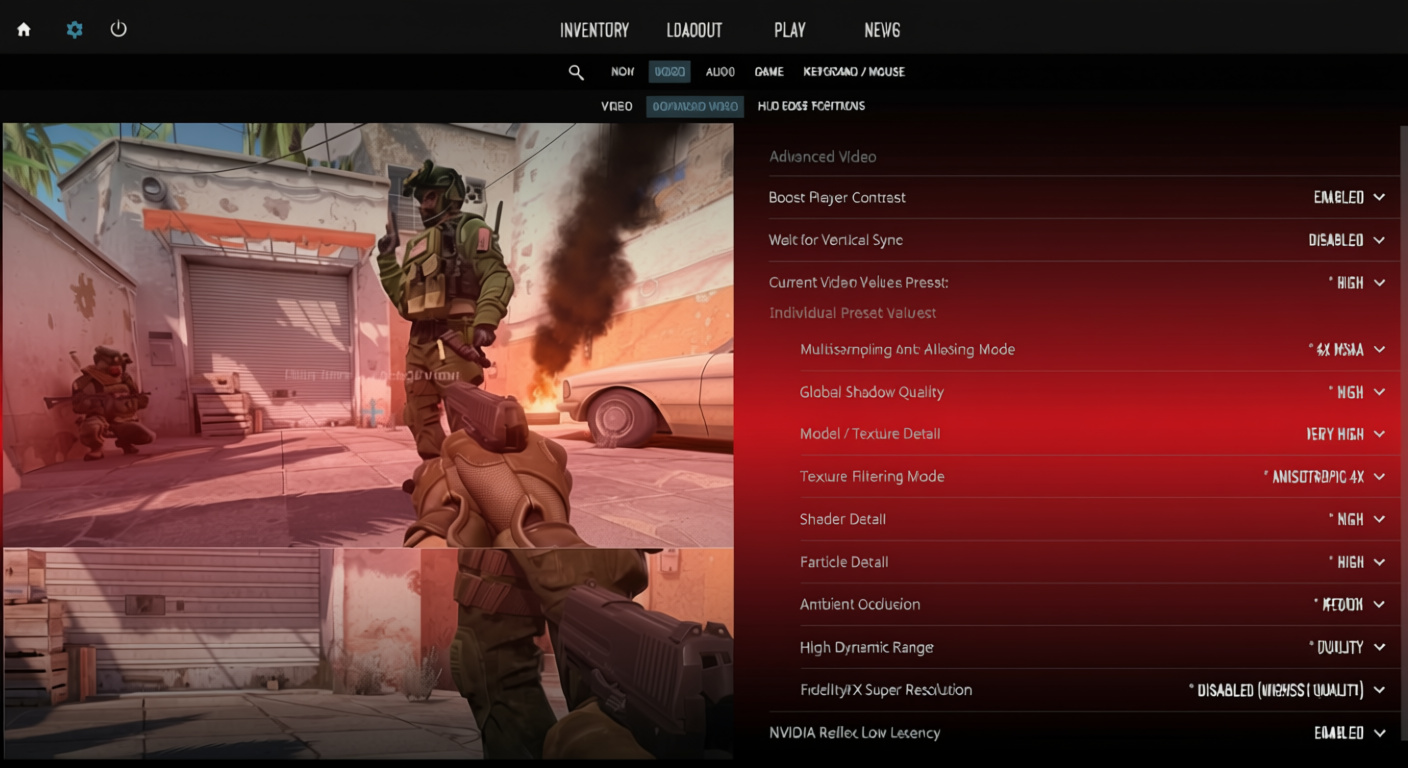
NVIDIA Reflex Low Latency
Enabled slices delay; + Boost digs deeper but might nibble frames and heat your card. Pro lists sometimes show off, but real tests prove Enabled helps most – Boost if you’ve got cooling.
Eye your temps with Boost – hit 83-86°C and throttling kills the gains, dropping clocks and rates.
Maximum FPS Setting
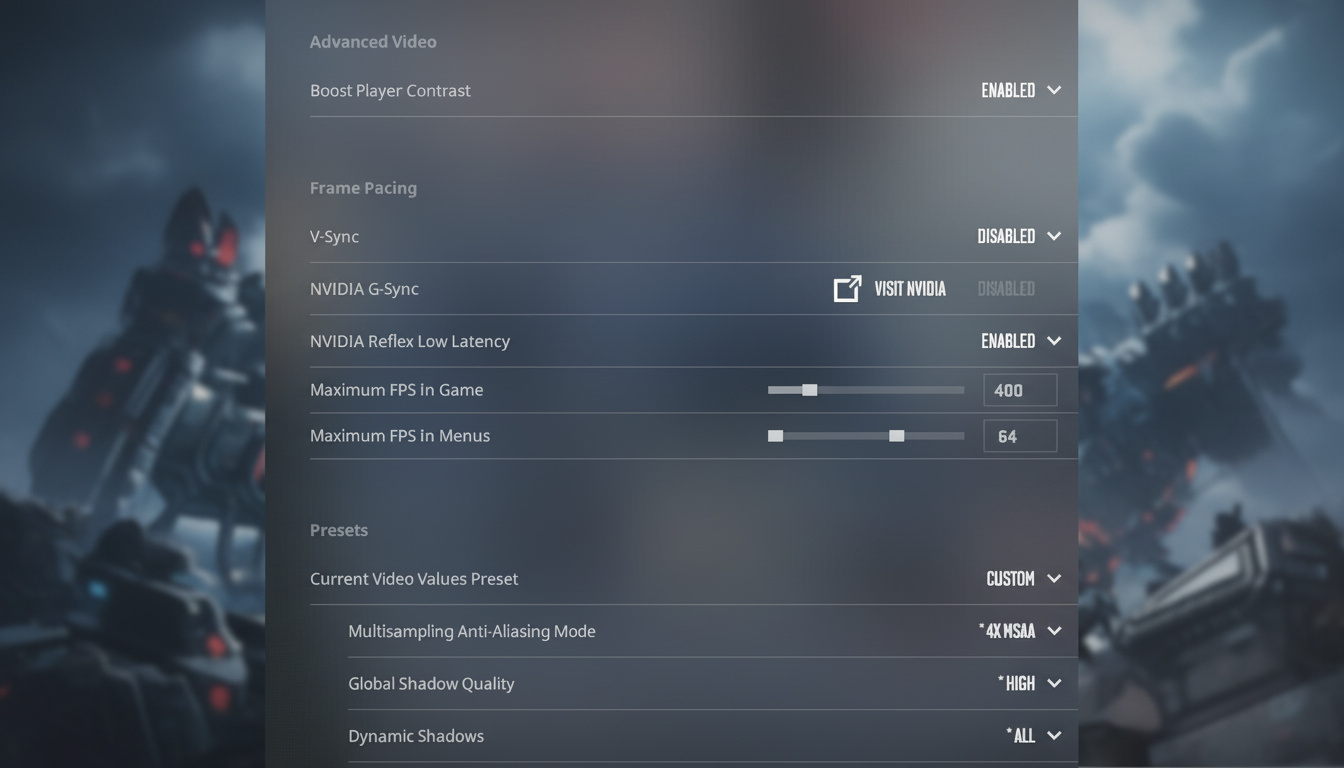
Zero, uncapped. Lets everything rip without caps. Extra frames smooth inputs and cut lag, monitor be damned.
NVIDIA Profile Inspector Magic
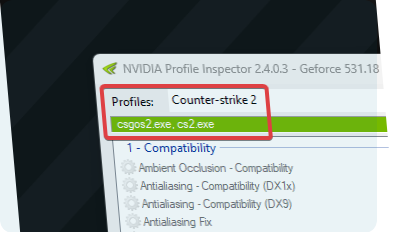
This thing’s a FPS beast if you dial it right:
- Grab NVIDIA Profile Inspector (github.com/Orbmu2k/nvidiaProfileInspector)
- Hunt Counter-Strike in profiles
- Load a tuned community profile
- Lock refresh to max
- Max pre-rendered frames = ultra (game overrides anyway)
- Texture filtering = High performance
- Anisotropic and sample tweaks on
- Hit apply
Pairs perfect with in-game stuff for that extra kick.
Audio Configuration for Competitive Edge
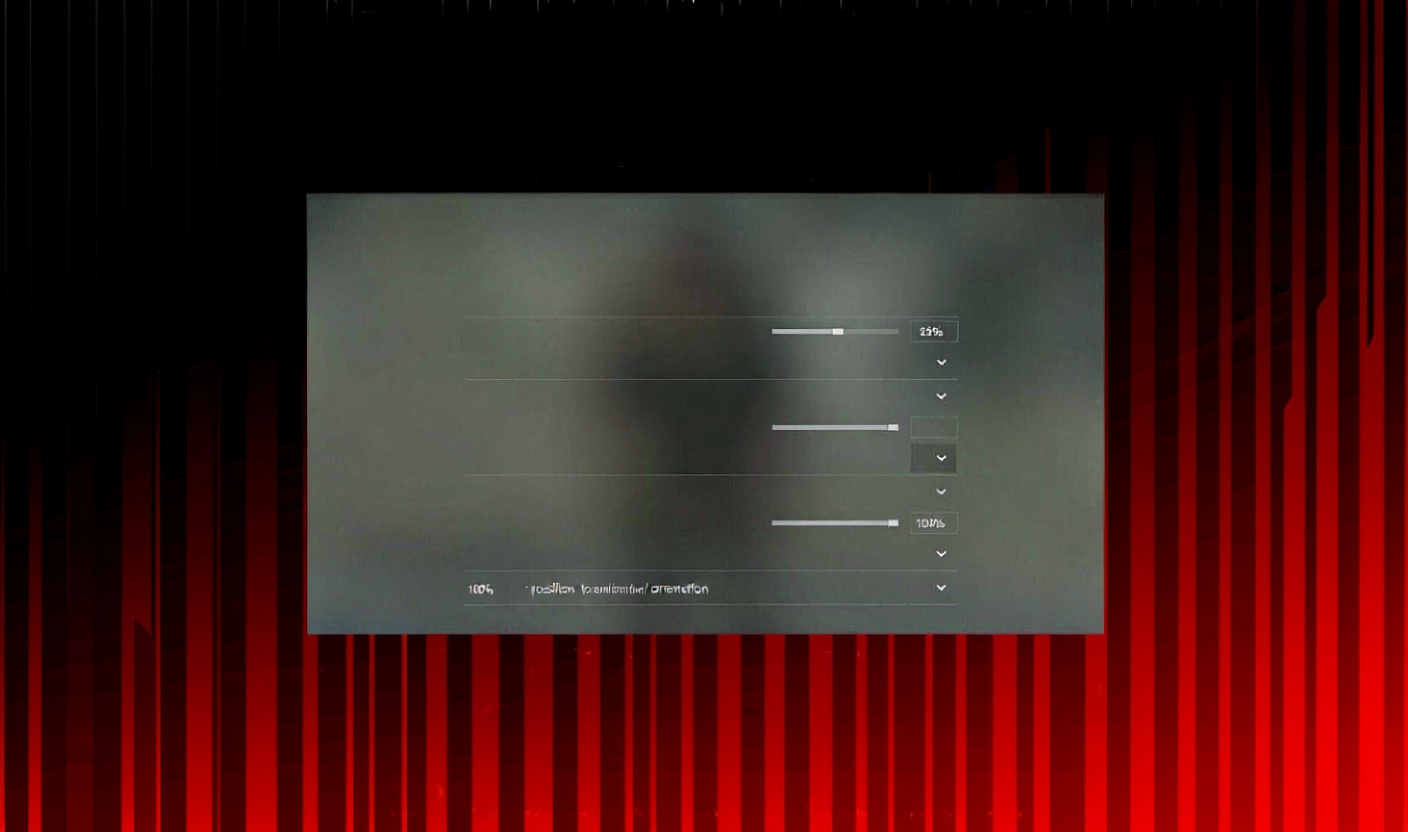
- EQ Profile
Crisp punches footsteps crisp – pinpoint those steps. Too piercing? Natural evens it out. Swap till it clicks. - L/R Isolation
Controls sound direction punch. Zero blends real; 100 splits hard left-right like old school. Hover 50-80% and tweak. Crave clear sides? Max it. - Perspective Correction
Off echoes CS:GO predictability; On spatializes naturally. Pros kill it for reliable cues every time. - Round UI Volumes
Zero out Start, Action, End, MVP, Bomb, Death Camera – these bury real sounds in noise. Ten Second Warning at 10-30% if bomb beeps save you (mine’s low for backup).
Sonar or similar amps footsteps and chat separation past stock – game-changer if audio’s your weak spot.
Game Settings Deep Dive
Damage Prediction
All three to No:
- Predict Body Shot Effects: No
- Predict Head Shot Effects: No
- Predict Kill Ragdolls: No
Fake hits flash when servers say no – throws off your read completely.
HUD & Visibility Options
- First-Person Tracers
Off – lines drift from real paths, screwing sprays. Skip the false guides. - Show Team Positions in HUD
On for spots and gear. Calls rotations and aids without tab-spamming. - Always Show Inventory
On – nades and drops at a glance, no digging. - Detach Silencer on M4A1-S and USP-S
Off stops mid-fight slips that kill your quiet shots. - Display Pings Without Sound
On – catches silent marks teammates drop.
Radar Optimization
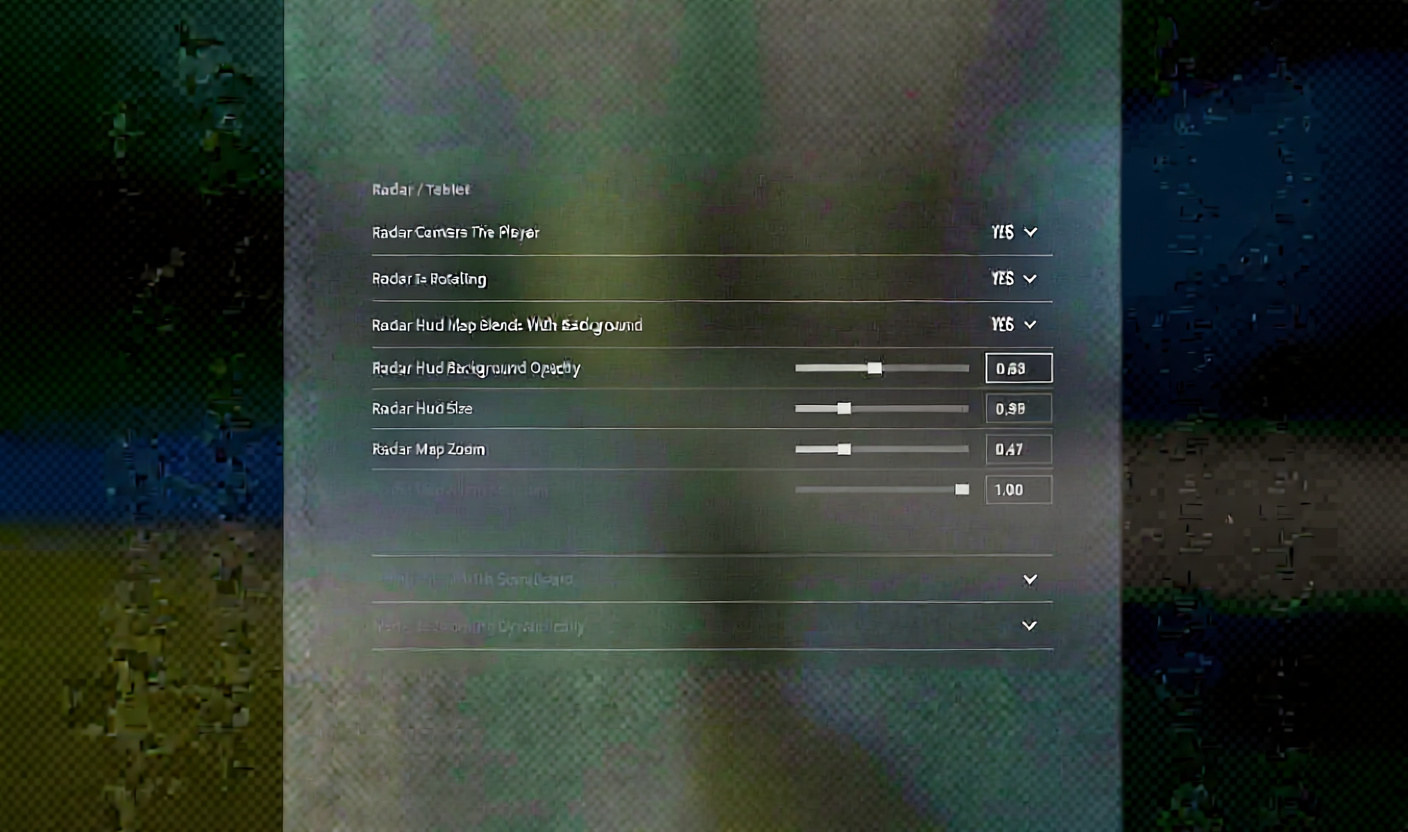
- Radar HUD Size: 1.00-1.30 hits right; 1.20’s my pick for overview without clutter
- Radar Map Zoom: 0.40 spreads wide; Dynamic Radar on auto-scales info – saves hassle on zooms
- Toggle Shape with Scoreboard: Yes
Bind a zoom toggle. Threads smokes tight and maps corners sharp.
Your sound circle marks footstep range – sneak smart or get heard.
Mouse Sensitivity & DPI
Effective DPI (eDPI) = DPI × In-game Sensitivity
Pros average 830 eDPI, mostly 600-1200. 360° turn? 47 cm typical. Top DPIs:
- 400 – 66% pros
- 800 – 28%
- 1600 – 5%
Kick off at 800 eDPI, dial to feel. High shrinks aim zones, toughens hits. Low eats pad space but nails control.
Polling Rate
1000 Hz baseline; 4000 Hz if your mouse pulls it (watch for glitches). Wireless? Drop to save juice.
Disable Mouse Acceleration
Windows → Run → main.cpl → Pointer Options → ditch “Enhance pointer precision”
Keyboard Binds That Win Rounds
Dedicated keys for nades, skip cycling:
- Smoke: own key
- Flash: own key
- Molotov/Incendiary: own key
- HE Grenade: own key
Instant throws, no mess. Scroll jump for hops if it fits.
Grenade Lineup Reticle Timing
Zero on smokes – pops right for spot-on lines.
Launch Options
-console -novid -refresh 144 +fps_max 0 -nojoy
- -console console ready
- -novid no intros
- -refresh 144 locks Hz (tweak yours)
- +fps_max 0 no limits
- -nojoy drops joystick
- -high priority bump (easy does it)
System-Level Optimizations
Windows Power Plan
powercfg -duplicatescheme e9a42b02-d5df-448d-aa00-03f14749eb61
High Performance if Ultimate’s missing.
BIOS Settings
Enable XMP
RAM hits spec speeds – your 3200 MHz idles at 2133 without it. FPS jumps, stability too.
Windows Graphics Settings
Settings → Graphics → Add cs2.exe (steamapps\common\Counter-Strike Global Offensive\game\bin\win64\cs2.exe) → High performance
Steam Tweaks
- Kill “Enable GPU accelerated rendering in web views”
- Low Bandwidth and Low Performance in Library
- Broadcasting off
NVIDIA Control Panel Settings

| Setting | Value |
|---|---|
| Anisotropic filtering | Off |
| Antialiasing Mode | Off |
| Power management mode | Prefer maximum performance |
| Texture filtering Quality | High performance |
| Texture Filtering Anisotropic sample option | On |
| Texture Filtering Trilinear optimization | On |
| Vertical sync | Off |
| Triple buffering | Off |
| Virtual Reality pre-rendered frames | 1 |
Resolution & Aspect Ratio Breakdown

16:9 Native (1920×1080)
- Full view and edges
- Sharp as hell
- Eats GPU harder
4:3 Stretched (1280×960, 1024×768, 1152×864)
- Wider targets side-to-side
- Center zoom focus
- FPS friendly on weaker kits
- Narrower sides
16:10 (1680×1050)
- Middle ground on view and speed
- Solid pick if it vibes
Pulled this from tests and pro files – native first, stretched next for that edge.
Refresh Rate Reality Check
Aim 144 Hz minimum for any real push. 240 or 360 Hz rules pro desks. 240 Hz nails it for most grinders.
Critical: Match Windows to your monitor’s Hz (Display Settings → Advanced). Stock 60 Hz wastes high-end panels.
Pro Player Settings Reference

| Player | DPI | Sens | eDPI | Resolution | Aspect |
|---|---|---|---|---|---|
| s1mple | 400 | 3.09 | 1236 | 1280×960 | 4:3 Stretched |
| ZywOo | 400 | 2.0 | 800 | 1280×960 | 4:3 Stretched |
| m0NESY | 400 | 2.0 | 800 | 1280×960 | 4:3 Stretched |
| NiKo | 400 | 1.3 | 520 | 1920×1080 | 16:9 Native |
| ropz | 400 | 1.77 | 708 | 1920×1080 | 16:9 Native |
| coldzera | 800 | 1.1 | 880 | 1280×960 | 4:3 Stretched |
See it? 400-800 DPI, stretched 4:3, eDPI 700-1000 cluster. Starting points – tweak to yours.
Gameplay Tips Worth Gold
- Flash Detonation Trick
Right-click flash, left-tap mid-air – pops early, skips bounce noise. - Silent Smoke Break
Right-hold, left-tap breaks without sound. - Hide Defuse Animation
Tap bomb, eye wall – wires vanish from peeks. - Defuse Timing
Three counts post-tap, then peek; kitless, seven for buffer. - Ladder Movement
W+D or W+A opposite gaze climbs quick; rhythmic taps silent-fast. - Jiggle Peeking
Shoulder out first – baits shots, resets their pull. - Graffiti Timer
Pre-plant spray marks ~43 seconds (bomb’s 40).
Crosshair Philosophy
- Default’s solid upgrade from GO, but tweak away. Statics rule for steady aim – no spray dance.
- Follow Recoil Feature
Tracks pull patterns. Killer for newbies or gun drills – use it to groove controls. - Pros mix dots to fat lines. Pick what your eyes lock on. Steady beats pro-copy every time.
Network Settings
| Setting | Recommendation |
|---|---|
| Max Acceptable Matchmaking Ping | 80-100 (lower if you experience lag) |
| Display Network Connection Issues | Automatically |
| Max Acceptable Game Traffic Bandwidth | Unrestricted |
| Buffering to smooth packet loss | None (default); set to 1-2 if experiencing loss |
Quick Setup Checklist
Hit these before queuing:
- ✓ Fullscreen with Hz matched in Windows
- ✓ Boost Player Contrast on; V-Sync off
- ✓ Dynamic Shadows to All
- ✓ Mouse acceleration off in Windows
- ✓ XMP on in BIOS
- ✓ FPS_Max 0
- ✓ NVIDIA Reflex on (+Boost if steady)
- ✓ Round UI at 0%
- ✓ Grenade binds set
- ✓ eDPI comfy (700-1200 test)
All this cuts real impact – no filler. Reference as you dial in; CS2 runs snappier, fights clearer, overall smoother.
Quit fiddling – drill those patterns.